
Microsoft Store
Managed install and updates
Install from Microsoft Store for Microsoft-managed delivery, signing and automatic app updates.
Get it from Microsoft StoreWindows app · Version 2.2.3
Monitor routers, servers, switches, printers, NAS devices and other reachable IP equipment from one private Windows dashboard.

Download
Both channels provide Network Live Monitor 2.2.3 for 64-bit Windows. Your devices, settings and history stay on your PC.
Microsoft Store
Install from Microsoft Store for Microsoft-managed delivery, signing and automatic app updates.
Get it from Microsoft StoreGitHub Release
Download the same app version directly from JagaSec's public GitHub release repository. This installer is not Authenticode-signed.
Download EXE from GitHubDirect installer integrity: INSTALL_NETWORK_MONITOR_v2.2.3.exe · SHA-256 CA323F1FBEA3FC6C8BC4FAD7B2A99C82088B5AA1F521ECB0D712860060C5952F. Windows SmartScreen may warn because the direct EXE is unsigned; use Microsoft Store for the managed, signed channel. See what changed in this version.
Built for daily operations
See the state of the devices you care about, catch outages quickly and keep a useful local history.
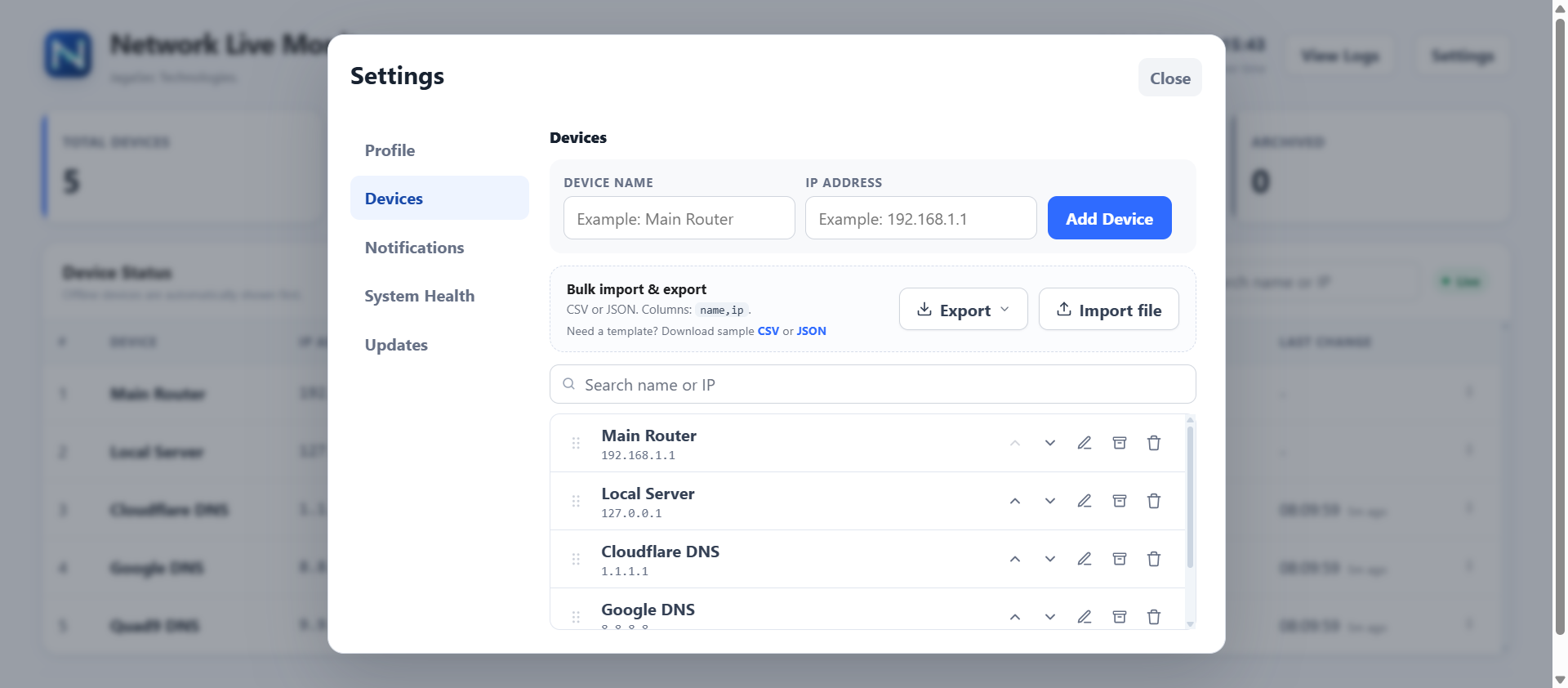
Add reachable IP devices one by one or import a device list. The live dashboard keeps online, offline, latency and uptime information together.
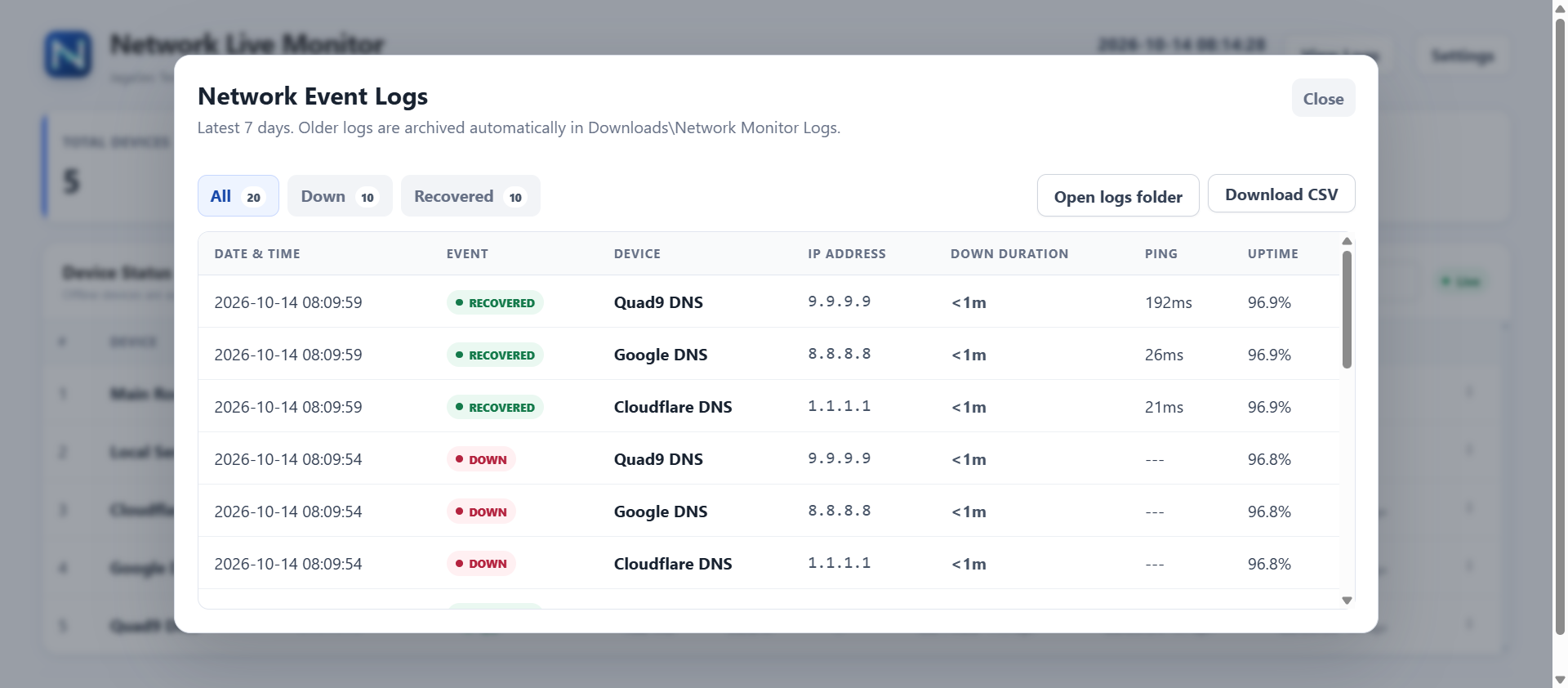
Review seven days of down and recovery events, see outage duration and export the history when you need to share or investigate it.
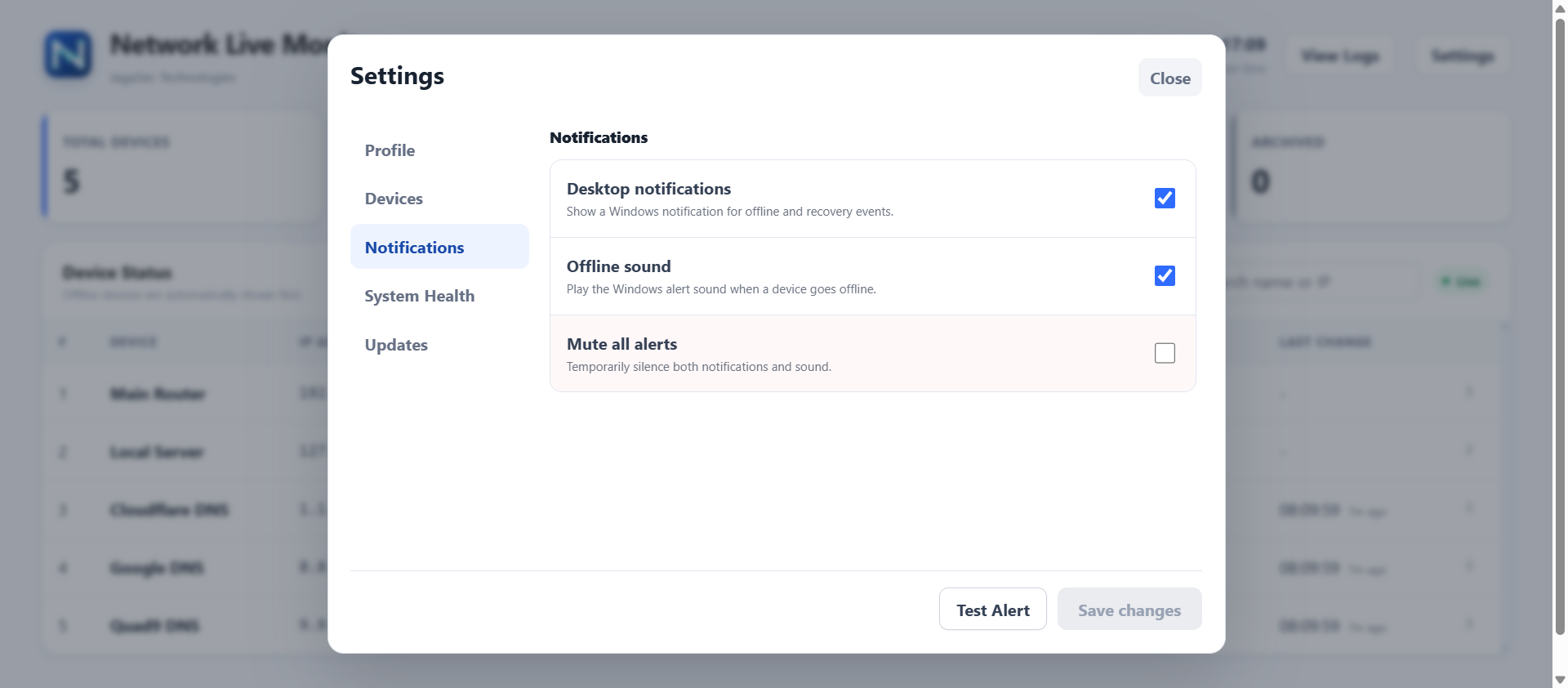
Use Windows notifications and optional sound for outages and recovery. Mute alerts when needed and test the setup before relying on it.
Local-first monitoring
Device lists, settings and event history stay on the Windows PC running the app, without requiring a JagaSec cloud account.
Start monitoring without creating an account, subscription or product key.
The app does not send usage telemetry or your device list to JagaSec.
Settings, monitored devices and event history remain on the Windows PC.
It installs per-user and does not add a Windows service or network driver.
FAQ
Want the complete project walkthrough? Read how monitoring, alerts, local history and both install channels work in the Network Live Monitor project guide.
Microsoft Store is recommended for Microsoft-managed signing and updates. Choose the GitHub EXE when you need a direct installer and understand that the current EXE is not Authenticode-signed.
No. Network Live Monitor is free and runs locally without an account, subscription or product key.
Any authorized, reachable IP device that responds to ICMP checks, including routers, servers, switches, printers, NAS devices, cameras and access points.
Microsoft Store installations update through Microsoft Store. Direct installs use the JagaSec GitHub release channel. Normal updates preserve your devices, settings and monitoring history.
Windows 10 version 1809 or later, or Windows 11, on a 64-bit PC.
Release notes
Updating keeps your devices, settings and monitoring history.
Every request the dashboard made gave up after a fixed 8 seconds, while the app is allowed far longer to reach GitHub and to download and verify an installer. On a connection that was not fast the screen gave up first and showed a browser error that told you nothing useful, even though the download had finished and the installer had launched. Each request now gets a time budget that matches the work, a request that really does run out of time says so in plain words, and the button reads Downloading while the installer is being fetched.
Settings, then Updates, then Check for updates automatically. With it off the app opens no outbound connection unless you press Check for Updates yourself. The setting takes effect without restarting the app. A setting the app cannot read leaves checks switched on, so a damaged configuration file never disables updates quietly. The Microsoft Store version does not perform this check at all, because Store installations are updated by the Store.
The installer offers to start the app when Windows starts, and that box is ticked by default. A silent command line install applied the default without showing the page, so installing with winget switched it on without you seeing the choice. Silent installs now leave it off. The interactive installer is unchanged.
A new install sets up four example devices so the dashboard has something to show before you add your own, and the build refuses to produce an installer carrying anything else. Updating an existing installation never replaces your own device list.
The installer and its checksum are on the GitHub releases page.
Free for Windows. Choose Microsoft Store or the direct GitHub installer.
Choose your download